























Running a business is hard. Managing people can be even harder. Shifts overlap. Someone calls in sick. Two employees request the same day off. Suddenly, your calm week turns into a puzzle. This is where workforce scheduling apps step in. They help you plan. They help you adjust. And most important, they help you avoid messy conflicts.
TLDR: Workforce scheduling apps make shift planning fast and simple. They reduce conflicts by showing availability, preventing overlaps, and sending updates in real time. Employees can swap shifts easily without chaos. The result is less stress, happier teams, and smoother operations.
In the past, managers used paper schedules. Or messy spreadsheets. Or long group text chains. Those tools worked… sort of. But they were slow and easy to mess up. One small mistake could throw everything off.
Today’s workforce scheduling apps are smarter. They do the heavy lifting for you. And they do it in minutes.
What Is a Workforce Scheduling App?
A workforce scheduling app is software that helps managers plan employee work shifts. It usually runs on your phone, tablet, or computer. Everyone can access it. Everyone stays updated.
Think of it as a digital command center for your team’s time.
These apps often include:
- Drag and drop scheduling tools
- Availability tracking
- Time off management
- Shift swap features
- Automatic notifications
- Labor cost tracking
Instead of chasing people for updates, the app handles it.
Why Shift Conflicts Happen
Before we talk solutions, let’s talk problems.
Shift conflicts usually happen because of:
- Double booking employees
- Ignoring availability changes
- Last minute time off requests
- Miscommunication
- Manual scheduling errors
Even great managers make mistakes. You are human. But software can catch errors before they become disasters.
Here is what shift chaos often looks like:

Imagine fixing that every week. Exhausting, right?
How Scheduling Apps Reduce Conflicts
Let’s look at the magic.
1. Real Time Availability
Employees enter their availability directly into the app. They update it anytime. The system stores it.
When you build the schedule, you only see people who are actually available. No guesswork.
This simple feature prevents one of the biggest causes of conflict.
2. Automatic Conflict Alerts
Many apps warn you instantly if something is wrong. For example:
- Someone is scheduled for two shifts at once.
- An employee exceeds overtime limits.
- You forgot mandatory rest hours.
The system highlights issues in red. You fix them before publishing the schedule.
No angry phone calls later.
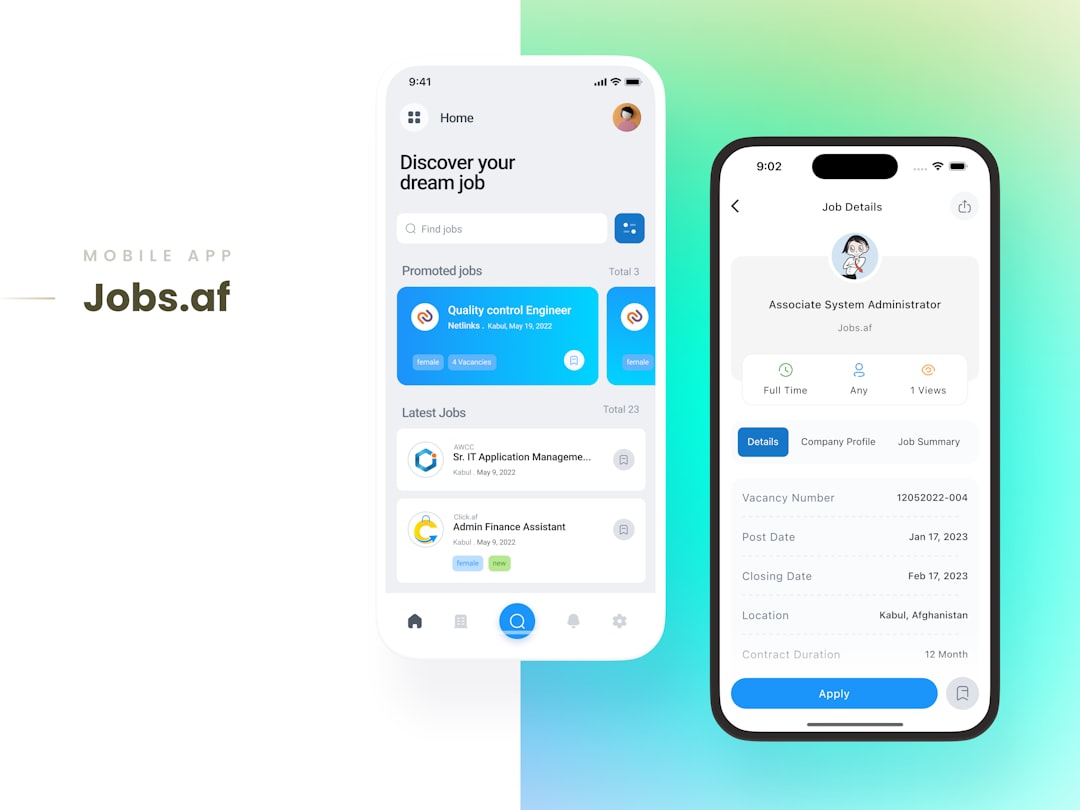
3. Easy Shift Swapping
Life happens. Someone gets sick. Someone has a school event. Instead of begging coworkers through private messages, employees can request a shift swap inside the app.
Here’s how it works:
- An employee posts their shift for swap.
- Available coworkers get notified.
- Someone accepts.
- Manager approves.
Done. Clean. Documented.
4. Instant Notifications
No more “I didn’t see the update.”
Scheduling apps send push notifications when:
- A new schedule is published
- A shift changes
- A swap is approved
- A request is denied
Everyone stays in the loop. Fast.
5. Centralized Communication
Some apps include built in messaging. You can send updates to:
- The whole team
- A specific department
- One employee
This avoids scattered communication across email, SMS, and sticky notes.
Benefits Beyond Fewer Conflicts
Reducing conflicts is just the beginning. These apps also improve:
Employee Happiness
People like clarity. They like knowing when they work. They like being able to request time off without awkward conversations.
When schedules are predictable and fair, morale improves.
Manager Sanity
Managers often spend hours building schedules. Then more hours fixing them.
Scheduling apps cut that time dramatically. What once took four hours might take one.
That frees up time for:
- Training staff
- Improving customer experience
- Growing the business
Lower Labor Costs
Many apps track labor costs in real time. You can see:
- Projected wages
- Overtime risk
- Budget alignment
This prevents overspending.
Compliance Protection
Labor laws matter. Rest periods matter. Overtime rules matter.
Advanced scheduling apps help you follow regulations. They can block illegal schedules before you publish them.
One prevented violation can save thousands of dollars.
Who Benefits Most?
Almost any industry with shift workers gains value.
Common examples include:
- Retail stores
- Restaurants
- Hospitals and clinics
- Hospitality businesses
- Call centers
- Warehouses
If your business operates beyond a simple 9 to 5 schedule, you likely need one.
Features to Look For
Not all scheduling apps are equal. Some are simple. Some are powerful. Choose based on your needs.
Here are important features to consider:
User Friendly Interface
If it is hard to use, your team will not use it. Look for clean design. Simple navigation. Clear buttons.
Mobile Access
Employees should be able to check schedules on their phones. That is where they live.
Integration Capabilities
The app should connect with:
- Payroll systems
- Time tracking tools
- HR software
This reduces double data entry.
Customization Options
Every business is different. You may need:
- Role based scheduling
- Location specific shifts
- Different pay rates
Flexibility matters.
Reporting Tools
Good data helps you plan better schedules in the future.
You should be able to generate reports about:
- Attendance
- Shift coverage
- Overtime trends
How to Introduce a Scheduling App to Your Team
Change can feel scary. Even when it is good.
Follow these simple steps:
- Explain the benefits clearly. Show how it helps employees, not just management.
- Provide quick training. A short demo works wonders.
- Start with a trial period. Let people explore.
- Ask for feedback. Make adjustments if needed.
When employees see how easy it is, resistance usually disappears.
Common Myths About Scheduling Apps
“They are too expensive.”
Many apps are affordable. Some charge per employee. Some offer scalable plans. The time saved often covers the cost quickly.
“They are complicated.”
Modern apps are designed for everyday users. If someone can use social media, they can use a scheduling app.
“We are too small to need one.”
Even small teams experience scheduling conflicts. In fact, small teams feel conflicts more deeply because every person counts.
The Future of Shift Planning
Technology keeps improving. Some scheduling apps now use artificial intelligence. They can:
- Predict busy hours
- Recommend ideal staffing levels
- Automatically generate optimal schedules
Imagine clicking one button and getting a complete schedule. Then making small tweaks instead of building from scratch.
That future is already here.
Final Thoughts
Workforce scheduling does not have to feel like solving a complex puzzle every week.
The right app:
- Prevents conflicts before they happen
- Keeps everyone informed
- Saves time
- Reduces stress
It brings order to chaos.
Your team deserves clarity. You deserve peace of mind. And your business deserves smooth operations.
With a smart workforce scheduling app, planning shifts becomes simple. Conflicts shrink. Productivity rises. And suddenly, scheduling feels less like a struggle and more like a system that actually works.









