























Hotel Wi Fi should feel like a warm welcome. A guest walks in, taps the network, and lands on a clean page that says, “Hello, we are glad you are here.” That page is the captive portal. When it is managed for you, it becomes a smart, simple tool that helps guests, staff, and the hotel brand.
TLDR: A managed captive portal for hotels gives guests an easy, branded way to join Wi Fi. It can show welcome messages, collect useful guest data, support promotions, and improve security. The “managed” part means experts help run it, update it, and fix issues. Guests get smooth internet, and the hotel gets better service, smarter marketing, and less tech stress.
What Is a Captive Portal?
A captive portal is the web page guests see before they use hotel Wi Fi. You have seen one before. It might ask for a room number. It might ask for an email. It might ask the guest to click “I agree.” Then the internet opens up.
Think of it like a friendly digital front desk. It checks guests in to the Wi Fi. It can also share useful things. Like breakfast times. Spa offers. Pool rules. Local maps. Or a simple “Enjoy your stay!”
A managed captive portal means the hotel does not have to build or run everything alone. A provider handles the setup, design, monitoring, updates, and support. This is great for hotels that want strong Wi Fi access without a full tech headache.
Image not found in postmetaWhy Hotels Need More Than Just Wi Fi
Guests expect Wi Fi. Not “maybe Wi Fi.” Not “only in the corner by the plant Wi Fi.” They expect fast, easy, reliable Wi Fi everywhere.
But Wi Fi is not just a guest perk anymore. It is part of the whole hotel experience. Guests use it to stream movies. Join video calls. Plan trips. Order food. Share vacation photos. Message family. Or scroll in bed after a long day.
If the Wi Fi login is clunky, guests get annoyed fast. If it is easy, they relax. That small moment can shape how they feel about the hotel.
A managed captive portal makes that first connection smooth. It also gives the hotel control. You can decide who gets access, how long access lasts, what guests see, and what information is collected.
Key Feature 1: A Branded Welcome Page
Your captive portal should not look like a random router page from 2006. It should look like your hotel.
A managed portal can include:
- Your logo
- Your brand colors
- Friendly welcome text
- Photos of your property
- Buttons for offers or services
- Links to hotel information
This matters. A branded page feels safer. It feels polished. It reminds guests they are in your world, not floating in some strange Wi Fi swamp.
You can make the page fun too. A beach hotel might say, “Connect, relax, and get back to the sunshine.” A boutique city hotel might say, “You are online. Now go explore.”
Key Feature 2: Easy Guest Login
No one wants a puzzle before coffee. The login should be fast.
Managed captive portals can offer many login methods. These may include:
- Room number and last name
- Email address
- Phone number
- Voucher code
- Social login
- One click access
The best option depends on the hotel. A luxury resort may want room based login. A café inside the hotel may use simple email access. A conference center may use voucher codes for event guests.
The big goal is this: make it simple. Guests should connect in seconds. Not minutes. Not after calling the front desk three times.
Key Feature 3: Guest Data Collection
A captive portal can collect useful data. This does not mean being creepy. It means learning enough to serve guests better.
For example, the portal can help collect:
- Email addresses
- Phone numbers
- Language preferences
- Visit frequency
- Device type
- Login location
This helps hotels understand guest behavior. Maybe many guests connect from the lobby in the morning. That could mean the lobby is a popular work spot. Maybe many guests return often. That could support a loyalty campaign.
Of course, privacy matters. A good managed solution includes clear consent, secure storage, and compliance tools. Guests should know what they are sharing. The hotel should handle data with care.
Key Feature 4: Marketing That Feels Helpful
A captive portal can be a gentle marketing tool. It does not need to shout. It does not need to flash. Please, no digital screaming.
It can show useful messages at the perfect time. For example:
- Welcome offer: “Get 10% off dinner tonight.”
- Spa deal: “Book a massage before 2 PM.”
- Bar promo: “Happy hour starts at 5.”
- Local tour: “Ask us about city walking tours.”
- Late checkout: “Need more time? Request late checkout.”
This is smart because guests are already looking at the page. They are paying attention. A good offer can increase revenue and improve the stay.
Keep it simple. One strong message is better than ten busy banners. Guests came for Wi Fi, not a circus.
Key Feature 5: Better Security
Open Wi Fi can be risky. A managed captive portal adds a layer of control.
It can help with:
- User authentication
- Session time limits
- Bandwidth rules
- Terms and conditions
- Network separation
- Abuse prevention
This protects the hotel and guests. Staff systems can stay separate from guest devices. That is important. You do not want a guest laptop near payment systems, booking tools, or office printers.
The portal can also require users to accept terms. This helps set clear rules. It can say what is allowed and what is not. Simple. Clear. Useful.
Key Feature 6: Bandwidth Management
Every hotel has that one guest who wants to download the entire internet. Maybe two guests. Maybe a whole team.
Bandwidth management helps keep things fair. A managed captive portal can limit speed by user, room, device, or package. It can also offer premium Wi Fi for guests who need more speed.
For example:
- Basic Wi Fi for browsing and email
- Premium Wi Fi for streaming and video calls
- Event Wi Fi for conference guests
- Staff Wi Fi for internal use
This keeps the network healthy. It also gives hotels a chance to create extra revenue. Guests who need faster service can upgrade. Guests who just want to check maps can use basic access.
Key Feature 7: Multilingual Support
Hotels welcome people from everywhere. The Wi Fi login should do the same.
A managed captive portal can show different languages. This makes guests feel comfortable quickly. It also reduces confusion at the front desk.
Imagine a guest arriving after a long flight. They are tired. Their bags are heavy. Their brain is running on airport snacks. A login page in their language is a small blessing.
Common language options may include English, Spanish, French, German, Italian, Arabic, Chinese, Japanese, and more. The portal can choose a language based on browser settings or let the guest pick.
Key Feature 8: Analytics and Reports
Hotels love good information. A managed captive portal can turn guest Wi Fi use into clear reports.
Reports may show:
- How many guests logged in
- Peak usage times
- Most used areas
- Average session length
- Repeat visitor numbers
- Device types
- Campaign clicks
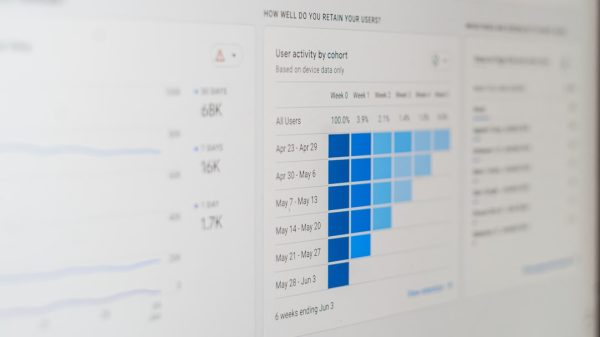
This data helps with better decisions. If usage is high in meeting rooms, maybe more access points are needed there. If many guests click a breakfast offer, maybe that promotion should run more often.
Data turns guesses into plans. And plans are better than crossed fingers.
Key Feature 9: Remote Management
This is where “managed” becomes magic.
With remote management, experts can monitor the portal without standing in the server room. They can update pages, fix settings, check performance, and spot issues.
This is helpful for one hotel. It is even more helpful for hotel groups. A brand with ten, twenty, or one hundred locations can manage Wi Fi portals from one place.
Need to update the holiday promotion across all hotels? Done. Need to change terms and conditions? Done. Need to add a new login method? Done.
No panic. No messy spreadsheets. No “who has the password?” drama.
Key Feature 10: PMS and CRM Integration
A strong captive portal can connect with hotel systems. This may include a Property Management System, also called a PMS. It may also connect with a Customer Relationship Management system, or CRM.
These integrations can make service smoother.
For example, PMS integration can allow room based login. The portal checks if the guest is really staying at the hotel. Then it allows access. When the guest checks out, access can expire.
CRM integration can support better marketing. If a guest agrees to receive messages, the hotel can send offers later. Maybe a return stay discount. Maybe a birthday deal. Maybe a “we miss you” email that is not too clingy.
Main Benefits for Guests
Guests do not care about backend magic. They care about results. A managed captive portal gives them a better experience.
- Fast access: They get online quickly.
- Clear steps: They know what to do.
- Helpful info: They see hotel services and offers.
- Better coverage: Reports help improve weak spots.
- Safer browsing: Access is more controlled.
- Personal comfort: Language and device support make life easier.
A happy guest may not say, “Wow, that captive portal was elegant.” But they will feel that things worked. That matters.
Main Benefits for Hotel Staff
Front desk teams already have enough to do. They answer calls. Handle check ins. Solve room issues. Smile through chaos. They do not need Wi Fi complaints every five minutes.
A managed captive portal can reduce support questions. It can make login easier. It can also give staff a clear process when help is needed.
For managers, the benefits are big too:
- Less technical work
- More control over access
- Better guest communication
- Useful reports
- New marketing options
- Stronger brand presentation
It helps the hotel run smoother. And smooth is beautiful.
Benefits for Revenue
A captive portal can help increase revenue in gentle ways.
It can promote hotel services. It can drive bookings for the restaurant, spa, bar, tours, parking, upgrades, and late checkout. It can also support paid premium Wi Fi.
This is powerful because the timing is good. Guests see the portal when they arrive, when they settle in, or when they need internet. A smart message can inspire action.
For example, a guest logs in at 6 PM. The portal shows a dinner offer. The guest thinks, “Great, I am hungry.” Boom. Restaurant booking.
That is not pushy. That is useful.
Benefits for Brand Loyalty
A managed captive portal can support loyalty programs. It can invite guests to sign up. It can offer points. It can show member perks. It can recognize returning guests if they have opted in.
Small touches help guests feel remembered. A welcome page can say, “Welcome back.” A loyalty member can see a special offer. A regular business traveler can get faster access.
Good loyalty is not just points. It is comfort. It is ease. It is the feeling that the hotel knows how to take care of people.
What to Look for in a Managed Captive Portal
Not all portals are equal. Some are sleek. Some are sad. Choose wisely.
Look for these features:
- Simple login options for different guest types
- Custom branding that matches your hotel
- Mobile friendly design for phones and tablets
- Strong security and guest network separation
- Privacy compliance and consent tools
- Analytics that are easy to read
- Remote support from real experts
- PMS and CRM integrations if needed
- Scalable setup for one hotel or many
- Reliable uptime because guests notice outages fast
Also ask about support. If something breaks at 9 PM on a Saturday, who helps? A good managed service should not vanish like a magician in smoke.
Common Mistakes to Avoid
A captive portal should help guests, not annoy them. Avoid these common mistakes:
- Too many form fields
- Slow loading pages
- Tiny text on mobile screens
- Confusing buttons
- Too many ads
- No clear privacy notice
- Weak branding
- No support plan
Keep the portal clean. Keep it fast. Keep it friendly. If your grandma can use it while holding a suitcase and a croissant, you are on the right track.
Final Thoughts
A managed captive portal for hotels is more than a Wi Fi login page. It is a welcome mat. It is a marketing channel. It is a security tool. It is a data source. It is a small screen with a big job.
For guests, it makes getting online easy. For staff, it reduces stress. For managers, it opens new ways to improve service and grow revenue. For the hotel brand, it adds polish from the first tap.
In the end, great hotel Wi Fi should feel invisible. Guests connect, smile, and move on with their stay. A managed captive portal helps make that happen. Simple. Smart. Friendly. Just like good hospitality should be.









