























Whether you are organizing a major conference, hosting a local workshop, or simply attending a weekend concert, Eventbrite has become one of the most popular platforms for managing and discovering events. But before you can buy tickets, track registrations, or manage attendees, you need to log in. While signing in sounds simple, many users run into issues such as forgotten passwords, account confusion, or mobile access problems. This comprehensive guide will walk you through how to sign in to Eventbrite quickly, securely, and without frustration.
TLDR: Signing in to Eventbrite is straightforward if you use the correct login page, enter the right credentials, and secure your account with best practices. You can log in via desktop, mobile browser, or the Eventbrite app. If you forget your password, the reset option is easy to use. Keeping your login information organized and enabling security features ensures smooth access every time.
Why Your Eventbrite Login Matters
Your Eventbrite account is more than just a ticket vault. It can contain:
- Purchased tickets and QR codes
- Event registration details
- Payment and payout information (for organizers)
- Marketing and attendee data
- Saved events and preferences
Having fast and reliable access to your account ensures you can check in to events without delays or manage your event listings efficiently.
How to Sign In on Desktop
Logging in from a computer is the most common method, especially for event organizers. Follow these simple steps:
- Open your preferred web browser.
- Go to www.eventbrite.com.
- Click the “Log In” button in the top-right corner.
- Enter your registered email address.
- Type your password.
- Click “Log In” to access your account.
Tip: Bookmark the login page if you frequently access your account to save time in the future.
Using Social Login Options
Eventbrite also allows you to log in using connected platforms such as:
- Apple ID (on supported devices)
If you originally signed up using one of these services, you must use the same login method each time. Trying to log in with just your email and password may create a duplicate account if you’re not careful.
How to Sign In Using the Eventbrite Mobile App
For attendees who are frequently on the go, the mobile app offers quicker access to tickets and event information.
- Download the Eventbrite app from the App Store or Google Play.
- Open the app after installation.
- Tap “Log In.”
- Enter your email and password (or use a connected social account).
- Access your tickets instantly under “Tickets.”
Why the App is Faster for Check-Ins
The mobile app offers several advantages:
- Instant QR code access
- Offline ticket availability
- Push notifications for event updates
- Quick password reset options
If you attend events regularly, keeping the app installed can significantly speed up entry.
Common Login Problems (And Fixes)
Even experienced users occasionally face login issues. Here are the most common problems and how to solve them quickly.
1. Forgot Your Password
This is the most frequent issue. Fortunately, it is easy to fix:
- Click “Forgot Password?” on the login page.
- Enter your registered email address.
- Check your inbox for the reset link.
- Create a new, secure password.
Pro Tip: If you don’t see the reset email, check your spam or promotions folder.
2. Wrong Email Address
Many users accidentally sign up with a secondary email address. If you’re not receiving login instructions:
- Try alternative email accounts.
- Search your inbox for previous Eventbrite confirmations.
- Check receipt emails for ticket purchases.
3. Account Locked
Too many unsuccessful login attempts can temporarily lock your account. Wait a short period before trying again, or initiate a password reset.
4. Social Login Confusion
If you signed up using Google or Facebook, entering just your email without choosing the connected option may not work. Always use the same method you used during registration.
Quick Comparison: Desktop vs. Mobile Login
| Feature | Desktop Login | Mobile App Login |
|---|---|---|
| Ease of Ticket Access | Moderate | Very Fast |
| Event Management Tools | Full Access | Limited Management |
| Password Reset | Easy | Very Easy |
| Best For | Organizers | Attendees |
How to Stay Logged In Securely
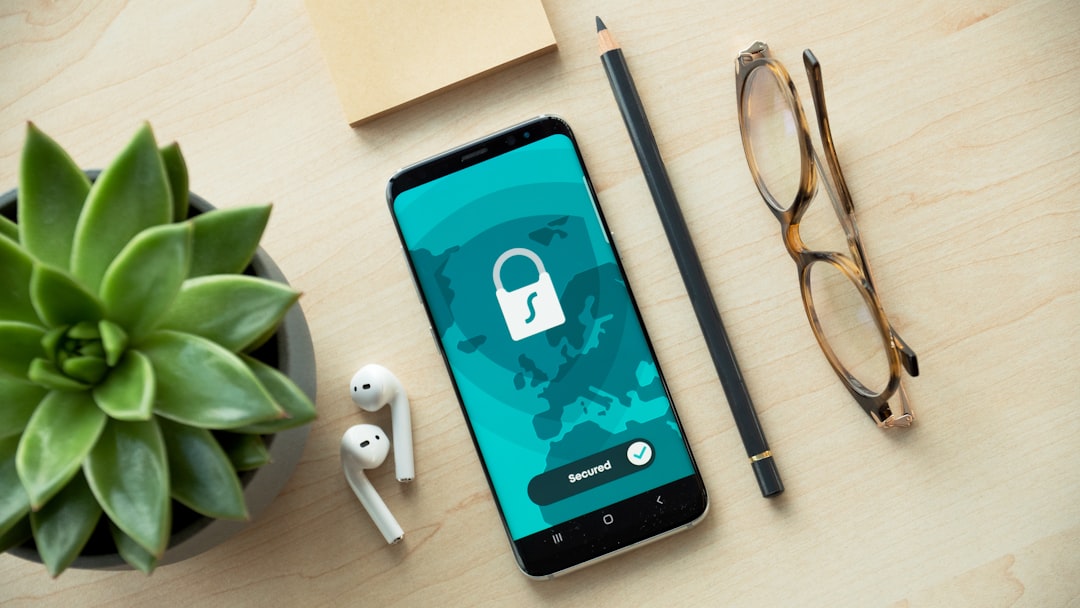
Speed is important, but security is essential—especially for event organizers who manage payments.
Follow these best practices:
- Use a strong password with numbers and special characters.
- Avoid public Wi-Fi when accessing payout details.
- Enable device security (fingerprint or Face ID on mobile).
- Log out on shared computers.
Password Tips for Quick Recall
If you frequently forget passwords, try:
- Using a reputable password manager
- Creating a phrase-based password instead of random characters
- Storing hints (not passwords) in a secure place
Managing Multiple Eventbrite Accounts
Some users accidentally create multiple accounts, especially when mixing social logins and email registration. This can cause tickets to appear “missing.”
To avoid confusion:
- Stick with one login method consistently.
- Merge accounts via customer support if necessary.
- Keep your primary event email separate from personal spam-heavy accounts.
Organizer-Specific Login Tips
If you are an event organizer, your login process may involve additional considerations:
Accessing the Event Dashboard
Once signed in:
- Click your profile icon.
- Select “Manage Events.”
- Choose the event you want to edit.
Tip: Use desktop mode for advanced features like analytics, attendee exports, and promotion tracking.
Team Access and Permissions
If multiple people manage your event:
- Assign team roles instead of sharing passwords.
- Limit payout permissions to trusted users.
- Regularly review account access.
Two-Factor Authentication (If Available)
While availability may vary by region and update cycle, enabling additional verification steps provides extra security. This may include:
- Email confirmation codes
- Mobile verification steps
- Device recognition alerts
Security features add a few seconds to login time but significantly reduce the risk of unauthorized access.
When to Contact Support
If you have exhausted all troubleshooting options, it may be time to contact Eventbrite support. This is especially important if:
- You suspect unauthorized account activity.
- Payout details have been altered.
- Your login email has been changed without permission.
- You cannot access tickets you have proof of purchase for.
Having your order number or event details ready will speed up the support process.
Final Thoughts: Sign In Fast, Stay In Control
Logging in to Eventbrite should take less than a minute when you know the correct process. Whether you’re a casual attendee eager to access your QR code or an organizer managing hundreds of registrations, understanding your login options saves time and avoids unnecessary stress.
By using the correct login method, keeping your credentials secure, and taking advantage of the mobile app when appropriate, you can streamline your experience on the platform. A little preparation—like bookmarking the login page or using a password manager—goes a long way in ensuring access is always at your fingertips.
Stay organized, stay secure, and you’ll never miss an event—or a login—again.









