






















For indie founders navigating the early stages of launching a startup, brand identity can be a major competitive differentiator. However, hiring a professional designer to create logos, social media content, website visuals, and other brand assets can prove costly and time-consuming. That’s where AI-powered design tools come in — allowing solo entrepreneurs and small teams to create high-quality visuals and establish a professional image without outsourcing design work.
TLDR: Too Long, Didn’t Read
AI design tools have revolutionized how indie founders build brand assets, enabling them to skip the need for traditional designers. These tools use artificial intelligence to generate logos, layouts, videos, and marketing materials with simple inputs. They’re cost-effective, fast, and accessible even for non-designers. Here are six of the best AI tools founders use today to create branded content quickly and beautifully.
1. Looka – AI Logo & Brand Kit Generator
Looka is one of the most popular choices for creating professional-quality logos in just a few minutes. What makes Looka stand out is its ability to not only generate logo designs based on your preferences (fonts, colors, styles) but also build out a complete brand kit around that logo. This includes business card designs, social media layouts, and a custom brand guide.
It’s perfect for indie founders who need branding fast and want a consistent visual identity across platforms without fiddling with design software.
- Best for: Logos, brand kits, quick branding packages
- Pricing: One-time logo purchase or ongoing brand kit subscription
- AI Features: Smart brand mockups, adaptive color and font systems
2. Canva with Magic Design – Versatile AI-Powered Templates
Canva is already a household name among DIY designers, but its Magic Design feature has taken things to the next level. With AI-assisted design generation, founders can upload images or enter a few keywords and Canva will instantly generate social media graphics, flyers, presentations, and more.
Its drag-and-drop interface paired with predictive AI design suggestions makes it incredibly user-friendly for both beginners and advanced users alike.
- Best for: Social media content, pitch decks, email graphics
- Pricing: Free with optional Pro plan
- AI Features: Magic Design layouts, Magic Write for text, AI image generation
3. Desygner – Branded Content at Scale
Desygner tailors itself to business users who need to scale branded content across channels fast. It allows you to build brand templates and then lock in elements like colors, logos, and fonts so that your marketing remains consistent—no matter how many posts you’re making daily.
This makes it ideal for indie founders doing all their marketing in-house but needing to look like they have a full creative department behind them.
- Best for: Branded templates, scalable marketing visuals
- Pricing: Free with premium plans
- AI Features: One-click resizing, smart brand assets reuse
4. Uizard – Create App and Web Interfaces with AI
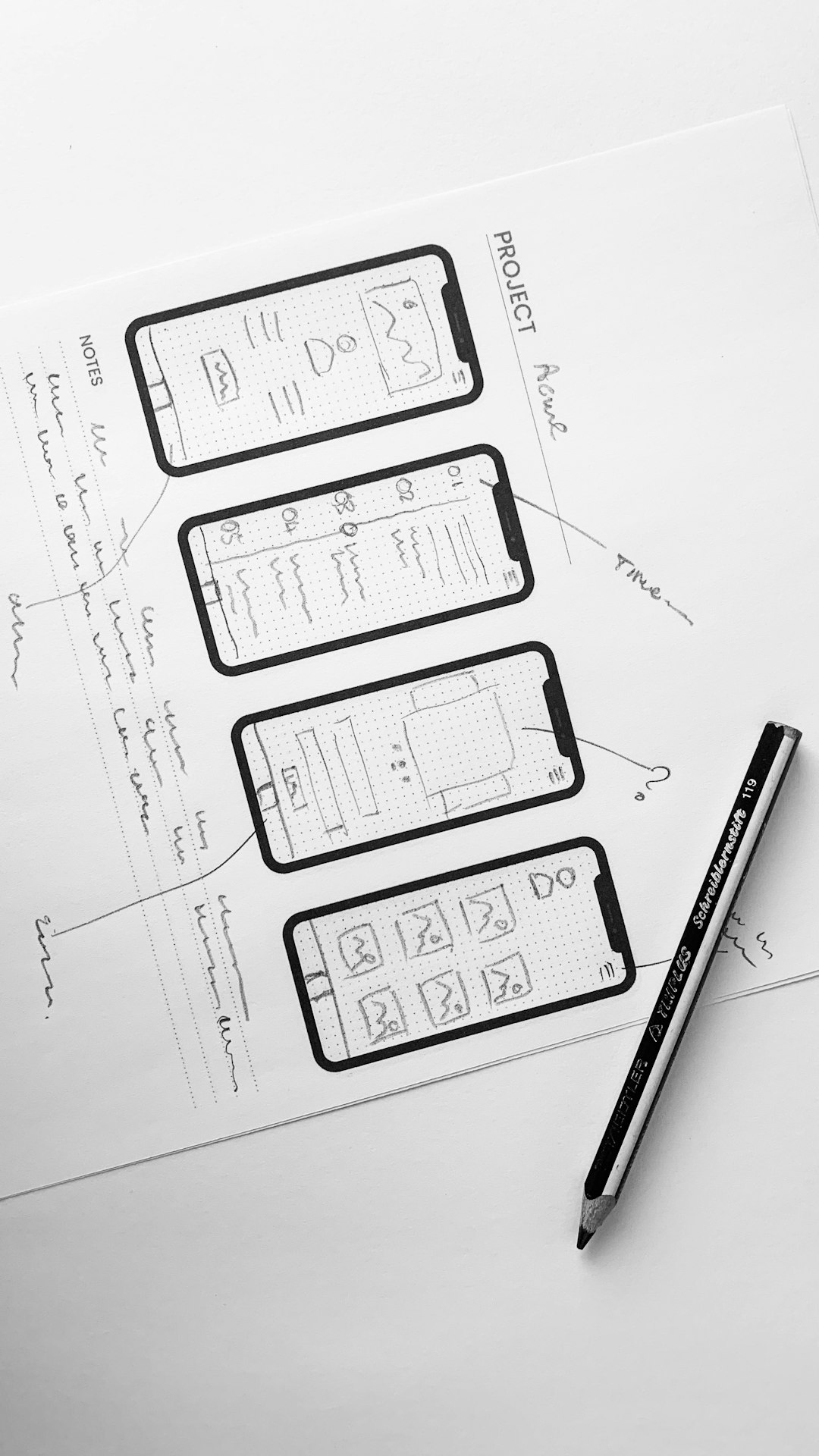
For founders working on web apps or SaaS tools, Uizard offers a shortcut to beautiful user interfaces without coding or design skills. Using AI, Uizard can convert sketches or descriptions into working UI mockups for mobile and desktop applications. The drag-and-drop editor lets you tweak UI elements and flows without starting from scratch.
It’s especially helpful for MVP creators and startup pitch decks focused on user journey and product visuals.
- Best for: UI/UX design, app interfaces, landing page mockups
- Pricing: Free basic plan with Pro upgrades
- AI Features: Text-to-UI design, flow suggestions, template recommendations
5. Designs.ai – Full Branding Suite with Voiceovers and Videos
Designs.ai is a Swiss Army knife for indie founders who want video, audio, logo, and copy tools—all in one platform. It features AI tools like Logomaker, Videomaker, Speechmaker, and Designmaker to help build presentations, explainer videos, and social media content.
Its easy onboarding process, built-in brand kit function, and multi-format export options make it a strong all-in-one choice.
- Best for: Startup videos, social campaigns, complete brand identity
- Pricing: Monthly subscription tiers
- AI Features: AI narration, logo generation, smart layout matching
6. Kittl – Artful Typography and Vintage Design Made Easy
Kittl is a hidden gem for founders who want to add character to their design assets. With a focus on creative typography, vintage logos, and t-shirt-style aesthetics, Kittl’s intuitive editor and templated assets make trendy design accessible—even if you’re not an artist.
This is a solid choice for brands that lean heavily into editorial, artisanal, or lifestyle aesthetics and need typographic flair that pops.
- Best for: Typography, merch, artisanal branding
- Pricing: Free with paid plan options
- AI Features: AI-powered typographic pairing, layout generation
Why Indie Founders Love AI Design Tools
Founders are choosing these platforms because they deliver professional results without draining startup budgets or requiring deep design know-how. AI tools free up time from hiring designers and learning design software, letting founders iterate branding quickly and stay responsive to market feedback.
Here are some key benefits:
- Affordability: Dramatically reduce costs compared to hiring professionals.
- Speed: Go from idea to finished asset in minutes, not days.
- Consistency: Use templates and AI-generated rules for a unified look.
- Ease of Use: No steep learning curve or software installation.
Whether launching a podcast, eCommerce shop, or SaaS platform, indie founders are proving that great design doesn’t have to break the bank—or consume all their time.
FAQs
How accurate are AI design tools when creating brand assets?
Modern AI tools are highly accurate when generating visuals based on input preferences. While some fine-tuning may still be needed, they significantly reduce manual effort and get you 80% of the way there.
Can I use these AI-generated logos and designs commercially?
Yes, most AI tools (like Looka or Designs.ai) offer commercial licenses upon purchase. Always check the licensing terms before use to ensure compliance.
Do I need design skills to use these tools?
No design background is required. These tools are made for beginners and include drag-and-drop features, automated suggestions, and prebuilt templates to simplify the process.
What’s the difference between tools like Canva and Looka?
Canva is more versatile for creating various types of content (presentations, social posts), while Looka focuses on logos and brand kits. They serve different needs and can often be used together.
Are there completely free AI design tools for startups?
Yes, tools like Canva and Desygner offer strong free tiers, especially for basic design needs. However, premium features often unlock more advanced capabilities and templates.
How do AI design tools help with branding consistency?
Many tools allow you to set brand colors, fonts, and logos as default, enabling you to apply them easily across different materials. This keeps your branding visually consistent across all channels.
Can I update or customize my assets later?
Absolutely. Most of these tools store your projects and allow full customization any time, making it easy to tweak your branding as your startup evolves.









