





















Unauthorized purchases on a PlayStation 5 account can be stressful, expensive, and confusing to resolve. Whether the issue stems from a hacked account, shared login credentials, or accidental purchases, it is important for users to act quickly and follow the proper reporting procedures. Understanding how to report unauthorized PS5 game transactions and what steps to take if an account gets banned can make the recovery process smoother and protect against future issues.
TLDR: If unauthorized PS5 transactions occur, users should immediately secure their account, document the charges, and contact PlayStation Support. Acting quickly increases the chances of receiving a refund and preventing further purchases. If the account gets banned, users should review the suspension notice, avoid chargebacks without support guidance, and submit a formal appeal. Strengthening account security afterward is essential to prevent future problems.
Understanding Unauthorized PS5 Transactions
Unauthorized transactions typically appear as unfamiliar game purchases, add-ons, subscriptions, or in-game currency charges in a user’s PlayStation Network (PSN) account. These charges may result from:
- Compromised login credentials
- Phishing scams
- Shared accounts with friends or family
- Saved payment methods left unsecured
In some cases, young family members may make purchases without understanding the consequences. In other situations, cybercriminals gain access and quickly spend funds before the account owner notices.

Immediate Steps to Take After Discovering Unauthorized Charges
Time is critical. As soon as suspicious activity is identified, the account holder should take the following steps:
1. Secure the Account
- Change the PSN password immediately.
- Enable or verify Two-Step Verification (2SV).
- Sign out of all devices using the account management settings.
- Remove or update saved payment methods.
These actions help prevent additional unauthorized purchases while the issue is being resolved.
2. Review Transaction History
Users should log into their PlayStation account via console or web browser and review recent transactions. It is important to:
- Take screenshots of unauthorized purchases.
- Note the transaction dates and amounts.
- Check linked email accounts for purchase confirmations.
This documentation will help when contacting customer support.
3. Contact PlayStation Support
The next step is reaching out directly to PlayStation Support through official channels. When contacting support, users should be ready to provide:
- PSN online ID
- Account email address
- Transaction ID numbers
- Details about the unauthorized purchases
PlayStation may investigate the claim and determine whether the purchase qualifies for a refund under its refund policy.
Important Warning: Avoid Immediate Chargebacks
Some users immediately contact their bank or credit card provider to reverse unauthorized charges. While this may seem logical, initiating a chargeback without contacting PlayStation first can result in account suspension or permanent bans.
PlayStation’s terms typically state that chargebacks create account debt. Until that balance is resolved, the account may remain suspended. Therefore, it is strongly recommended to pursue refunds through official PlayStation channels first.
What Happens During a PlayStation Investigation?
After a report is submitted, PlayStation’s support team reviews account activity. This may include:
- Login location analysis
- Changes in account credentials
- Device history
- Download activity tied to purchases
If the investigation confirms unauthorized access, refunds may be issued and additional safeguards recommended. If downloads or gameplay occurred under the legitimate account owner’s IP address, the review may take longer.

What to Do If the PS5 Account Gets Banned
If a user receives a suspension or ban notice, it typically arrives via email. The message usually explains:
- The reason for the suspension
- Whether it is temporary or permanent
- Steps required to restore access
1. Determine the Type of Ban
There are generally three types of enforcement actions:
- Temporary suspension – Access is revoked for a defined period.
- Permanent suspension – Indefinite account closure.
- Console ban – The specific PS5 system is restricted from accessing PSN.
Understanding the type of ban helps determine the appropriate response.
2. Check for Chargeback-Related Suspensions
If a chargeback was filed through a bank, PlayStation may suspend the account until the debt is repaid. In such cases, resolving the outstanding balance often reinstates access. Users should carefully follow the instructions in the suspension notice.
3. Submit an Appeal
If the user believes the ban was issued in error, an appeal can be submitted through official support channels. The appeal should include:
- A clear explanation of the situation
- Dates of unauthorized transactions
- Evidence of hacking, if available
- Confirmation that security steps were taken
It is crucial to remain professional and concise. Hostile or vague appeals are less likely to be successful.
Restoring Access After a Ban
If the appeal is successful or outstanding debt is resolved, PlayStation may restore access. Once reinstated, users should:
- Create a completely new password.
- Enable Two-Step Verification.
- Review active devices linked to the account.
- Remove unfamiliar linked accounts.
Preventing Future Unauthorized Transactions
Prevention is the most effective long-term strategy. Users can minimize risk with the following measures:
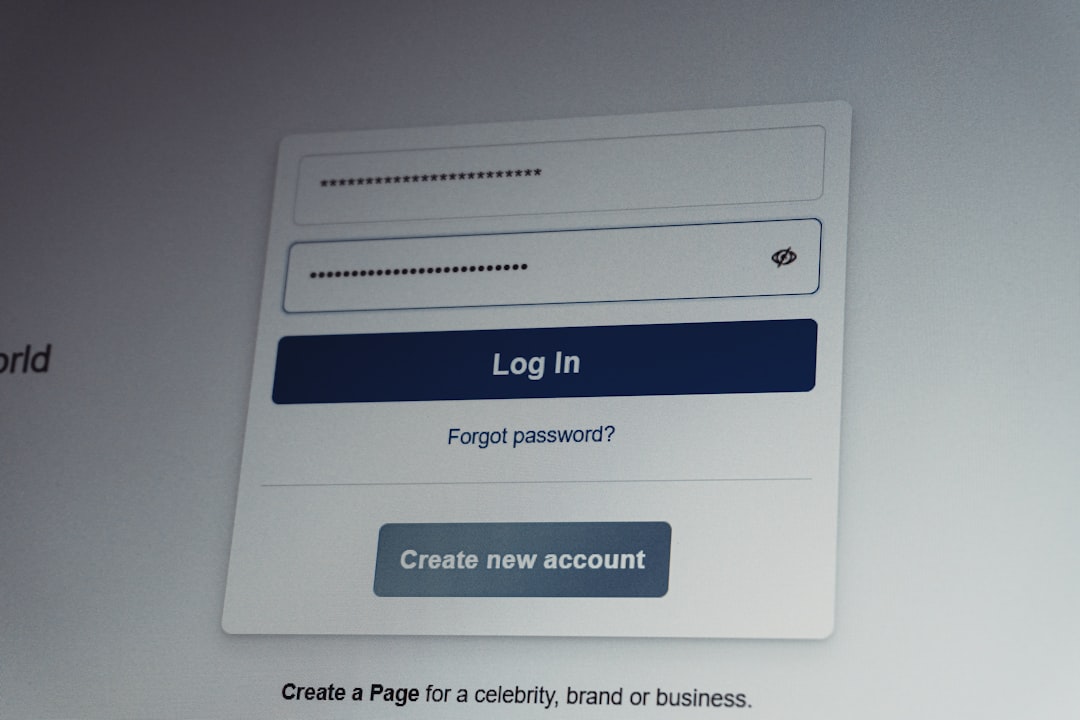
Enable Two-Step Verification (2SV)
This security feature requires a verification code in addition to the password. Even if login credentials are stolen, attackers cannot access the account without the secondary code.
Use Unique Passwords
Avoid using the same password across multiple websites. Data breaches from unrelated services can expose reused passwords.
Remove Saved Payment Methods
Consider removing credit card details after purchases. Alternatively, use prepaid PlayStation gift cards for added control.
Activate Parental Controls
For households with children, parental controls can restrict purchasing permissions and require password confirmation before checkout.
Stay Alert for Phishing Emails
Always verify that emails claiming to be from PlayStation originate from official domains. Suspicious links should never be clicked.
How Long Does the Refund Process Take?
Refund processing time varies based on:
- Payment method used
- Investigation complexity
- Regional support policies
Generally, reviews may take several business days. Once approved, refunds can take additional days to reflect in the bank account or digital wallet.
Key Mistakes to Avoid
- Delaying action after noticing suspicious activity.
- Filing a chargeback without contacting PlayStation first.
- Ignoring security updates post-recovery.
- Sharing login credentials with unverified individuals.
These mistakes can complicate recovery and even result in permanent bans.
Emotional and Financial Impact
Beyond financial loss, unauthorized transactions can be emotionally draining. Losing access to digital libraries, subscriptions, saved progress, or community profiles may feel overwhelming. However, most cases can be resolved with patience and prompt communication.
Maintaining calm and documenting each step increases the likelihood of a favorable outcome.
FAQ
-
How do I report unauthorized PS5 game purchases?
Users should log in to their PSN account, secure it immediately, gather transaction details, and contact official PlayStation Support to initiate an investigation. -
Will PlayStation refund unauthorized charges?
Refunds may be issued if the investigation confirms unauthorized activity and the request meets refund policy requirements. -
Can a chargeback get my PSN account banned?
Yes. Filing a chargeback without first contacting PlayStation may result in account suspension until the debt is resolved. -
How long does a PSN suspension last?
Suspension length depends on the violation. Temporary suspensions have a set duration, while permanent bans remain indefinitely unless successfully appealed. -
What is a console ban?
A console ban blocks a specific PS5 system from accessing PlayStation Network services, regardless of which account is used. -
How can I prevent my PS5 account from being hacked?
Enabling Two-Step Verification, using a unique password, and being cautious of phishing emails significantly reduce the risk. -
Can I recover digital games after my account is restored?
If the account regains access, previously purchased legitimate content should remain available in the digital library.
By acting quickly, following official procedures, and strengthening account security, PS5 users can effectively report unauthorized transactions and improve their chances of resolving bans or suspensions. Preparation and awareness remain the strongest defenses against financial and account-related disruptions.









