






















With the rise of AI-powered tools transforming the way we interact with digital assistance, ElevenLabs has introduced one of the most versatile and intelligent AI agents to date. Whether you’re aiming to design a customer service bot, create a digital companion, or develop a content-creation assistant, customizing your ElevenLabs AI agent enables you to tailor responses, tone, and behavior to fit your exact needs. In this article, we’ll walk you through how to personalize your AI agent effectively and responsibly.
TL;DR (Too Long, Didn’t Read)
Customizing your ElevenLabs AI agent involves setting up its voice, personality, goals, and conversation parameters to best fit your intended use case. Use clear prompt engineering, tone configuration, and context control for best results. Always prioritize clarity, purpose, and ethical use to create trustworthy AI interactions. Regularly test and refine your setup to maintain performance and consistency.
Why Customization Matters
The real power of an AI agent lies in how well it aligns with your needs—and this is where customization becomes invaluable. Whether you’re using your agent for professional service delivery or creative experimentation, tailoring it ensures user satisfaction, improved engagement, and consistent performance.
A generic AI might get the job done, but a customized one can exceed expectations. It can speak in your brand’s tone, deliver support with empathy, and maintain contextual awareness throughout complex tasks.
1. Understanding ElevenLabs AI Agent Capabilities
Before jumping into customization, it’s crucial to understand the core components and strengths of the ElevenLabs AI platform. Primarily known for its advanced voice synthesis and adaptive interaction, the platform enables both spoken and written dialogue, making it highly versatile.
- Voice Customization: Use voice cloning or modify existing samples to give your agent a unique identity.
- Behavior Mode: Control how the AI responds—whether it should be formal, informative, conversational, or empathetic.
- Memory Integration: Store past conversations and facts to provide context-rich outputs.
- Multi-language Support: Use your agent globally with multiple language capabilities.
2. Step-by-Step Guide to Customizing Your AI Agent
Step 1: Define Your Use Case and Objectives
Begin by asking the following:
- What is the primary function of your AI agent? (e.g., support, teaching, narration, etc.)
- Who is your target audience?
- What tone and complexity should the AI use?
Once you have a clear purpose, this will guide your entire customization process.
Step 2: Configure Voice and Tone
ElevenLabs allows for fine-tuned voice creation through:
- Voice Cloning: Upload a clean sample or use built-in voices to generate consistent speech output.
- Adjusting Tone: Select emotional inflections like calm, excited, or serious to match the context.
Remember that tone establishes your AI’s personality. A mismatched tone can lead users to distrust or misunderstand your assistant.
Step 3: Develop a Strong Prompt Template
Prompt engineering is crucial for consistency. This means scripting how the agent should respond to queries or complete tasks. For example:
You are Clara, a helpful, calm, and intelligent assistant designed to support users looking for travel advice. Always begin responses with a welcoming tone and end with a question prompting more interaction.
This kind of guidance ensures your AI produces contextually sound and user-appropriate responses.
Step 4: Use Short-Term and Long-Term Memory Wisely
ElevenLabs agents can be configured with memory layers. For simple setups, stateless memory means the AI treats every message separately. More advanced configurations include:
- Short-Term Context: Retains the last few turns of conversation.
- Persistent Memory: Stores facts like the user’s name, preferences, etc.
These settings help in keeping conversations engaging and informative, particularly in customer-facing applications.
3. Best Practices for Tailored AI Interaction
Maintain Ethical Guidelines
The AI’s flexibility also brings responsibility. It’s essential to keep your customization ethical and aligned with privacy standards. Avoid configuring the AI for misleading or manipulative interactions. Use clear disclaimers when necessary to inform users they’re interacting with an AI.
Regular Testing and Feedback Loops
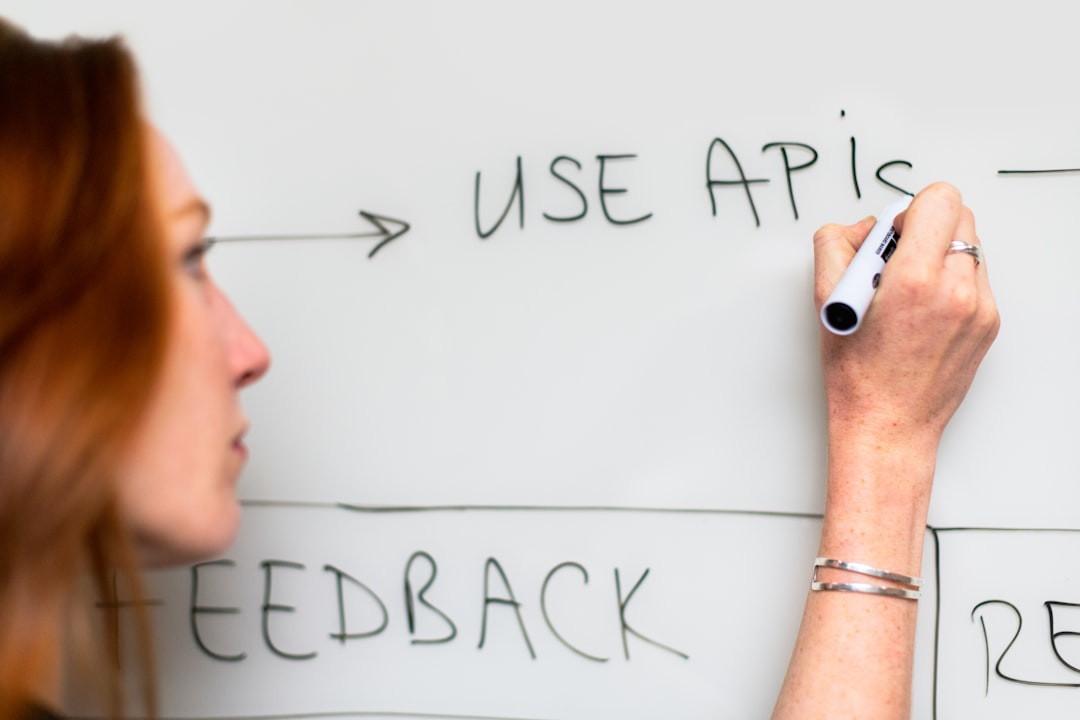
Deploy your agent in test environments and observe its interactions closely. Gather feedback and iterate. Training cycles should include real user input to increase effectiveness over time.
Fine-Tune Personality Traits
The persona of your AI not only reflects your brand but also shapes how comfortable users feel in interaction. Consider fine-tuning these traits:
- Formality: Formal for B2B, informal for community chats
- Empathy: Especially important in healthcare or coaching roles
- Excitement Level: Great for marketing and promotional uses
4. Advanced Configuration Options
Integrate with External Data Sources
One of ElevenLabs’ strengths lies in its ability to pull real-time data through APIs. Whether it’s stock prices, calendar events, or weather reports, your agent can be made smarter through context-aware integrations.
Create Multiple Profiles
If your AI needs to handle diverse roles—say one profile for tech support and another for product suggestions—you can set up profile-based behavior trees that switch depending on request category.
Real-Time Analytics
Many users overlook the importance of monitoring. ElevenLabs provides analytics dashboards that can show conversation quality, drop-off rates, and user satisfaction metrics. Use these insights to continually refine your setup.
5. Security and Privacy Considerations
Customizing your ElevenLabs AI agent involves handling user inputs, potentially including sensitive data. Make sure you:
- Comply with data regulations like GDPR or CCPA
- Use secure APIs and encrypted communication channels
- Notify users about data logging and consent
Privacy-first design helps establish trust and ensures long-term success.
6. Use Cases of a Customized ElevenLabs AI Agent
Here are a few examples of tailored agent applications:
- Healthcare Assistant: Offers empathetic reminders, appointment scheduling, and symptom triage.
- Language Tutor: Interactive and adaptive language training with pronunciation correction.
- Customer Support Bot: Connects to CRM systems to pull purchase history for faster issue resolution.
Each of these use cases benefits significantly from appropriate customization of tone, behavior, and memory components.
7. Troubleshooting and Continuous Improvement
It’s not uncommon to run into issues such as the agent overgeneralizing answers, inconsistent voice tone, or forgetting prior steps. Tips to resolve:
- Refine your prompt templates
- Update memory rules and scope
- Retrain the voice model if tonal mismatches arise
Always maintain a development version of the agent where you can make safe changes without impacting production systems.
Conclusion
Customizing your ElevenLabs AI agent is not just about giving it a unique voice—it’s about structuring personality, optimizing conversation flow, and respecting user privacy. From prompt engineering and tone calibration to memory management and API integration, each element plays a critical role in delivering a powerful and human-like AI experience.
By thoughtfully customizing your agent with the techniques outlined here, you’ll not only increase user satisfaction but also unlock the true potential of the platform. The future of personalized AI lies in hands like yours—make it count.









