























Creating a brand identity is one of the most critical steps in launching or redefining a business. Your brand speaks volumes before you say a single word, and at the heart of this communication lies your logo. Designing a compelling and professional logo doesn’t have to involve expensive software or design teams. With tools like Ucraft Logo Maker, you can create a strong brand image within minutes, even with no prior design experience.
TL;DR: Ucraft Logo Maker is a user-friendly, browser-based design platform that enables businesses and entrepreneurs to create unique logos quickly. It offers various templates, icons, and typography tools, making branding accessible, even for novices. The key to building a successful brand identity using Ucraft lies in understanding branding fundamentals, choosing design elements that align with your values, and maintaining consistency across all brand touchpoints.
Why Brand Identity Matters
Your brand identity is the visual foundation of your business. It tells customers who you are, what you stand for, and what they can expect from interacting with you. A strong brand identity:
- Builds recognition and trust
- Differentiates you from competitors
- Fosters customer loyalty
- Supports marketing and growth strategies
A logo is more than just an icon—it’s the most recognizable element of your brand. That’s why getting it right is crucial.
Getting Started with Ucraft Logo Maker
Ucraft Logo Maker is a free web-based tool designed to help entrepreneurs, startups, and small businesses craft meaningful and high-quality logos quickly. Here’s how you can make the most of this platform:
1. Access the Logo Maker Tool
Go to the official Ucraft website and select the Logo Maker option. The interface is clean and uncomplicated, removing the intimidation factor often associated with graphic design tools.
2. Create Your Workspace
You’ll be presented with a blank canvas where the creative process begins. The intuitive drag-and-drop functionality makes it easy to manipulate elements.
3. Explore Design Elements
Ucraft’s asset library includes:
- Icons: Thousands of vector-based icons searchable by keyword
- Shapes: Geometric elements for accents and backgrounds
- Text: A wide range of fonts, allowing for typographic creativity
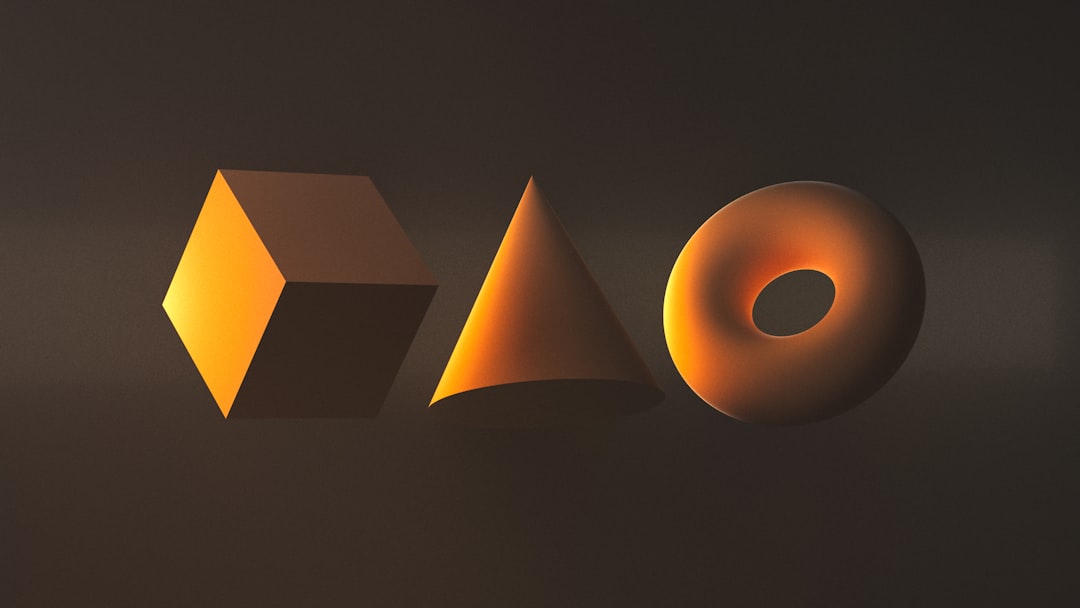
Choose elements that align with your brand’s personality. For example, a tech startup might go for minimalist lines and bold geometry, while an artisan bakery may favor softer edges and handwritten typography.
Steps to Create a Professional Logo Using Ucraft
Step 1: Define Your Brand Identity
Before opening the logo maker, take time to define your brand values and tone. Are you sophisticated or playful? Serious or adventurous? Knowing these factors will guide your color, type, and icon choices.
Step 2: Choose a Logo Style
There are several logo styles to consider:
- Wordmark: Featuring your company name in a stylized font (e.g., Google)
- Lettermark: Using initials or abbreviations (e.g., IBM)
- Icon or Symbol: A standalone graphic (e.g., Apple)
- Combination Mark: Text and icon integrated (e.g., Adidas)
Ucraft allows you to explore all of these styles and see how they feel with your brand in mind.
Step 3: Customize the Design
Once you’ve selected your basic elements, refine your logo:
- Adjust size and positioning: Make sure elements are proportionate and balanced
- Apply custom colors: Stick with 2-3 primary brand colors
- Experiment with typography: Use fonts that are legible and reflect your brand voice
Step 4: Preview and Test
Preview your logo on different backgrounds—dark, light, and transparent. Consider how it would look on a business card, website, or merchandise.
Ask yourself:
- Is the logo scalable?
- Is it legible at small sizes?
- Does it stand out against your competitors?
Step 5: Download and Use
Once satisfied, download your logo in high-resolution or scalable formats such as SVG and PNG. These formats are essential for both web and print use.
Best Practices to Build a Consistent Brand Identity
Your logo is just the beginning. To make your brand recognizable and trustworthy, consistency is key. Here’s how to ensure a cohesive identity:
1. Establish Brand Guidelines
Create a document that outlines:
- Acceptable logo usage
- Color codes (HEX, RGB, CMYK)
- Typography standards
- Spacing and padding rules
This ensures that whether you’re printing business cards or launching an ad campaign, your brand always looks unified.
2. Maintain Visual Consistency Across Touchpoints
Apply your logo and brand elements consistently across all assets:
- Website
- Social media platforms
- Printed materials
- Email signatures
- Packaging
3. Use the Same Color Palette and Fonts
Reusing your chosen font and color palette across all media reinforces identity and aids recognition. Deviating from these styles often causes brand dilution and confusion among your audience.
4. Iterate Based on Feedback
Share your new logo with stakeholders and a test audience. Feedback can reveal surprising insights that may improve your design. However, be cautious about making too many changes—stability promotes trust.
Why Ucraft Stands Out
Among the numerous free logo maker tools available, Ucraft stands out because of its:
- Intuitive Interface: No learning curve for beginners
- High-Quality Exports: SVG, PNG, and other formats with crisp resolution
- Free Use: No upfront cost for creating or downloading a basic logo
- Customization Options: No rigid templates; full control over each element
- Fast Workflow: Logo creation can take as little as 10 minutes
Ucraft also integrates well with its website builder, allowing users to quickly apply their new logo during web development.
Advanced Tips for Refining Your Logo Design
- Keep it Simple: Cluttered designs don’t transfer well to small formats like icons or favicons.
- Aim for Versatility: Ensure your logo works in black-and-white, with or without text, and at various sizes.
- Think Long-Term: Design with the future in mind. Trends change, but timeless logos remain relevant.
- Avoid Clip Art: While Ucraft provides icons, use them judiciously. Modify and combine elements to make something truly unique.
Conclusion: Building Brand Equity Starts Here
Crafting a distinct and consistent brand identity is non-negotiable in today’s competitive marketplace, and your logo is the cornerstone of this identity. With Ucraft Logo Maker, creating a professional, stylish, and distinctive logo is both efficient and accessible. The ease of use, design flexibility, and zero-cost barrier provide every entrepreneur or creative professional with the tools necessary to establish credibility from day one.
Remember, your brand isn’t just your logo—it’s the perception you create in the minds of your customers. Start the journey right with a strong, purpose-driven visual identity.









